


 |
Create Maintenance Schedule
Create a preventive maintenance schedule for each type of vehicle in your fleet or by maintenance schedule types.
To Create a Maintenance Schedule:
1. Select the Setup Schedules tab, and then click the Add Schedule button.
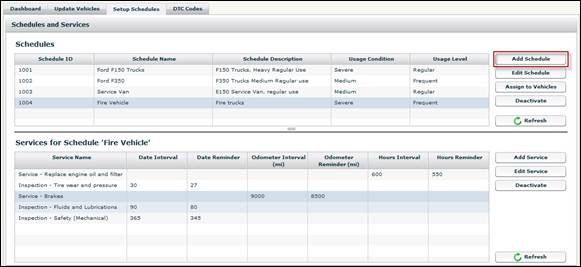
• The Add Schedule screen displays.
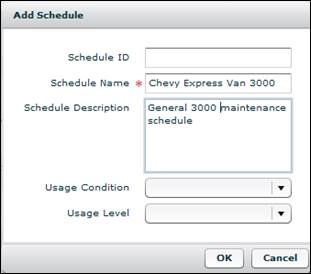
2. Populate the fields as desired.
• The Schedule Name is the only required field.
• The Usage Condition and Usage Level fields are informative fields only. They are not used to calculate projected maintenance due intervals.
3. Click the OK button to create the schedule.
• The schedule is now ready to add services to it.