|
Assign Service Items to a Schedule
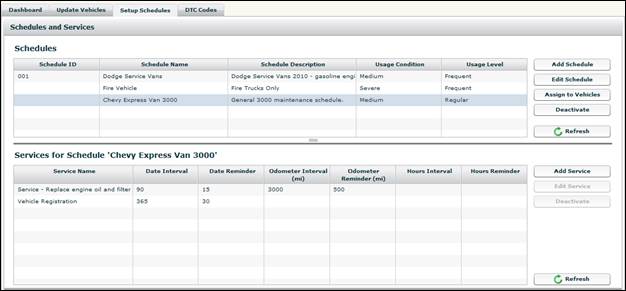
Once you have created a maintenance schedule, you need to assign service items to the schedule. Each schedule can have one service item or multiple service items.
To Assign Service Items to a Schedule:
1. Select the maintenance schedule to which you want to add service items.
2. The bottom pane of the screen displays service items, if any, currently assigned to the schedule.
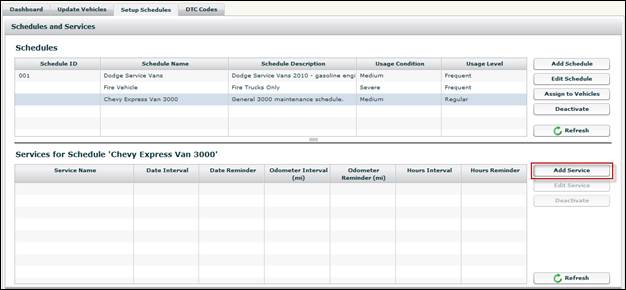
3. Click the Add Service button.
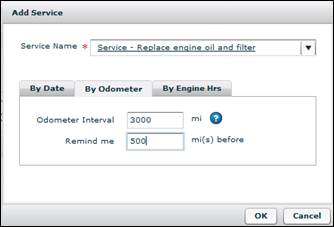
4. Select a Service Name from the drop-down list.
• Refer to Available Service Items for a list of available service items.
5. Select a By Interval tracking option (e.g., By Date, By Odometer or By Engine Hours).
• You can select more than one interval option. Service due triggers by whichever interval is met first.
6. Specify when the service is due for each interval and the reminder for due.
• For example, select 90 days for an interval, and then select the date reminder for 15 days prior to the due date.
7. Click the OK button to add the service item.
8. Repeat the above steps to add additional service items to the selected maintenance schedule.