
|
Renewal Notifications
LenderOutlook notifies you of devices with airtime expiring within 60 days. For example, on June 1st, you will receive notification for devices with airtime expiring in July and August. These notifications provide a convenient method of monitoring and managing your airtime renewals and expirations.
Airtime Renewal Reminder Email
CalAmp sends a monthly Airtime Renewal Reminder email to the address specified in your account’s profile. Attached to the email is the Device Renewal Report. This report displays all devices that are up for airtime renewal in the next 60 days. For your convenience, the report is attached in two formats. The PDF format is for printing, and the CSV format is to open in Excel.
After reviewing the report, log in the LenderOutlook application and confirm airtime renewal or deactivate devices prior to the end of the following month. LenderOutlook deactivates any device with an expired airtime renewal plan.
Note: CalAmp charges a reactivation fee to renew a deactivated device.

On-Screen Messages
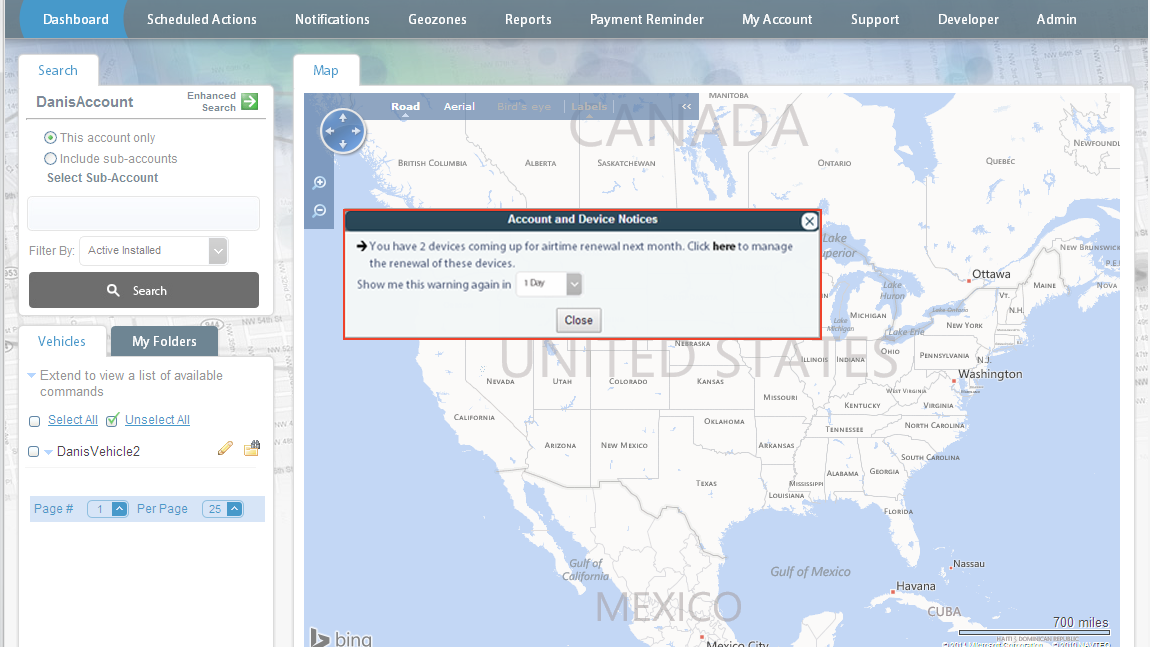
In addition to the email notification, a message screen displays after you log in LenderOutlook If you have devices with airtime plans expiring or due for renewal. Using the “here” links provided, you can jump directly to the Manage Auto Renewals module to renew or deactivate devices. You can select how often you this reminder message displays by day, week or month. You cannot turn off the auto renewal on-screen reminders.