



|
Export a Report
You can export both standard and custom reports to either Excel or PDF formats. The PDF format is for printing and the CSV format is to open in Excel.
To Export a Report:
1. From the Reports tab, click the Run link for the report to export.
• The selected reports displays.
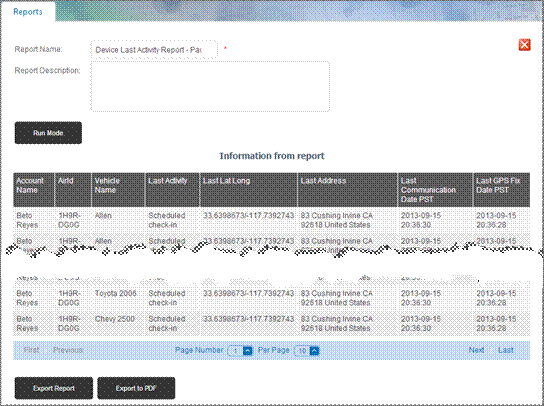
2. To refresh the data prior to exporting, click the Run Mode button.
3. To export the report data to CSV format, click the Export Report button.
• The CSV export option enables you to open the report in Excel to further work with the report data.
4. To export the report data to PDF format, click the Export to PDF button.
• The PDF export option is the best selection to print report data.