|
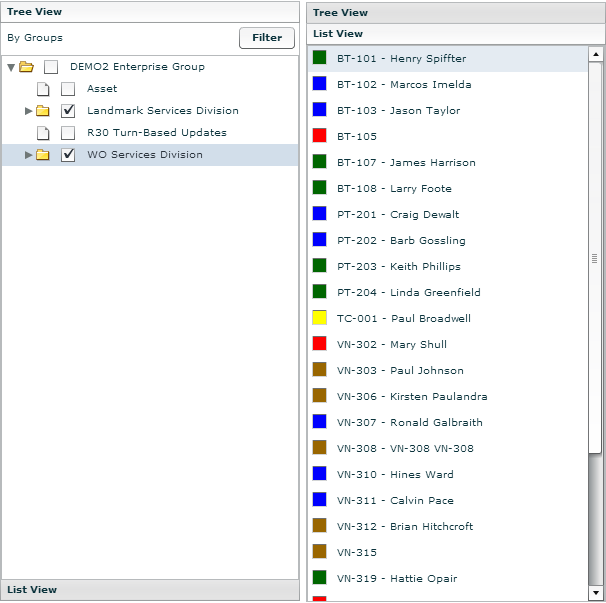
Tree View/List View
The Tree View, located on the left side of the map, allows you to filter the vehicles displayed to a specific group. The List View displays a list of vehicles, depending on the group level selected in Tree View, in alphabetical order. Select a vehicle from this list to center the map the vehicle's last reported location and display the vehicle's tool tip.
To Filter Vehicle Display on the Map:
1. Click the Tree View bar.
2. Select the corresponding check box for a specific group, and then click the Filter button.
• The Map and List View only display those vehicles in the selected group. Click the List View bar to view the list of vehicles in the selected group.
3. To display all vehicles, click the Tree View bar, select the check box for the top-level group and then click the Filter button.