|
Manage Resources
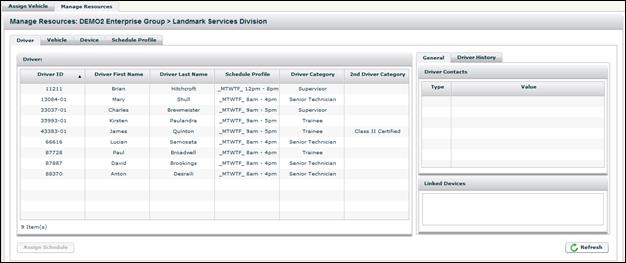
The Manage Resources sub-tab provides the functionality to update driver, vehicle and driver schedule information. The Manage Resources tab contains four sub-tabs: Driver, Vehicle, Device and Schedule Profile.
Note: The Manage Resources tab does not provide the full administrative functionality available in FleetOutlook Admin. For example, you can only edit existing vehicles in FleetOutlook. To add a new vehicle, you must log in FleetOutlook Admin.