|
Alert Notification Methods
One of the benefits of FleetOutlook Alerts is the ability to receive immediate notification for your fleet conditions that require immediate attention. FleetOutlook sends alert notifications via three methods: email message, text message or FleetOutlook interface. By default, alert notifications are not enabled. You must select the enable check box for each alert notification method.
Email Message
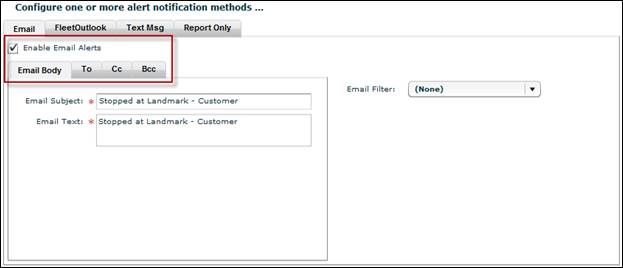
You can send an alert notification to a single recipient or multiple recipients. To send to multiple recipients, separate each email address with a comma. Additionally, you can include BC or CC recipients. FleetOutlook requires you to include an email subject and message as well as one recipient in the To field.
FleetOutlook
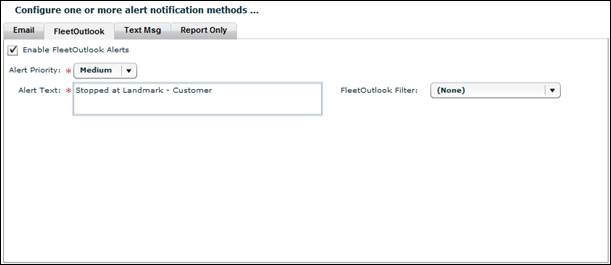
FleetOutlook notifications display on several tabs within FleetOutlook: Vehicle Summary, Breadcrumb Detail and the Alerts tab. You must provide an alert priority and text. You can select from three set priority levels: low, medium and high. The Alert Text field is the text that displays in the FleetOutlook application. It is recommended to use the alert name in the Alert Text field.
When enabled, alert notifications display on three tabs within FleetOutlook:
• The Vehicle Summary tab displays a summary of all alerts triggered by vehicle for the past twenty-four hours.
• The Breadcrumb Detail displays alerts triggered by the corresponding event for the selected vehicle for the current day or selected time frame.
• The Alerts tab displays all alerts triggered for your fleet or select group for the past twenty-four hours.
Text Message
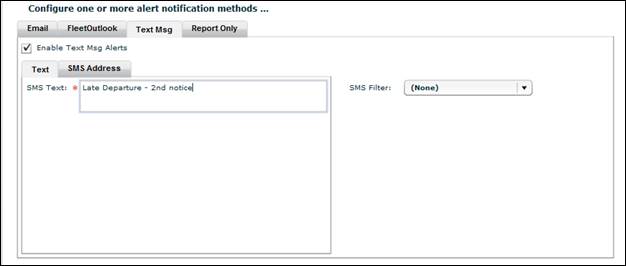
You can send text alert notification to a single recipient or multiple recipients. To send to multiple recipients, separate each SMS address with a comma. FleetOutlook requires you to include the domain of the cellular carrier in the SMS Address field.
Note: We recommend that you limit text message notifications to the most important circumstances.
|
Verizon: |
10digitphonenumber@vtext.com |
|
AT&T: |
10digitphonenumber@txt.att.net |
|
T-Mobile: |
10digitphonenumber@tmomail.net |
|
Sprint: |
10digitphonenumber@messaging.sprintpcs.com |
|
Cingular (Now AT&T): |
10digitphonenumber@txt.att.net |
|
Nextel: |
10digitphonenumber@messaging.nextel.com |
|
Alltel: |
10digitphonenumber@message.alltel.com |
|
Virgin Mobile: |
10digitphonenumber@vmobl.com |
|
CellularOne: |
10digitphonenumber@mobile.celloneusa.com |